
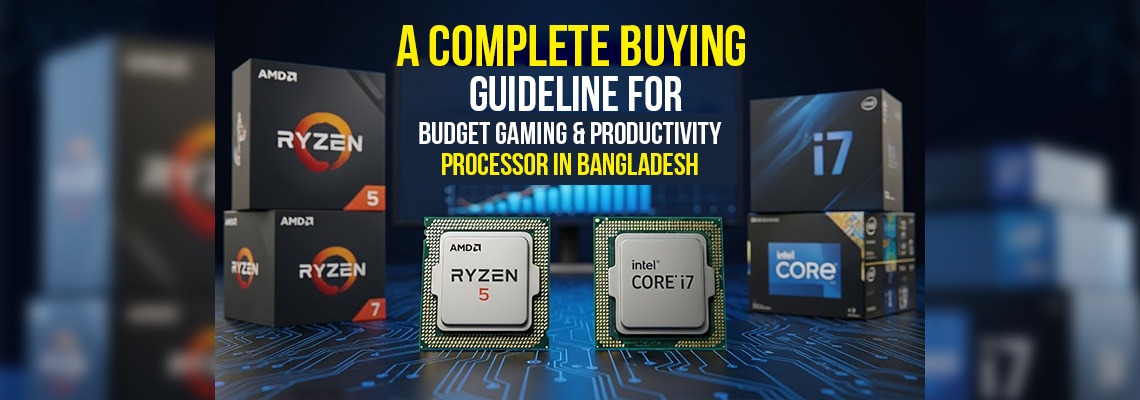
In the world of PC building, the graphics card often steals the spotlight, but any seasoned builder knows the truth: the Processor (CPU) is the backbone of your entire system. Especially in a budget build, where every Taka spent needs to deliver maximum value, choosing the right CPU is the most critical decision you will make. It determines how fast your applications open, how smooth your multitasking feels, and whether your PC can handle the complex logic of modern games and professional software.
Building a budget PC in Bangladesh presents a unique challenge. You aren't just looking for "cheap"; you are looking for the best price-to-performance ratio. Whether you are a student compiling code, a video editor scrubbing through 4K timelines, or a gamer demanding stable frame rates, the burden falls squarely on your processor's cores and clock speeds.
The good news is that the entry-level market has evolved. The latest budget chips from Intel and AMD are no longer just "bare minimum" options—they are genuine powerhouses capable of rivaling the flagship performance of just a few years ago. But with so many generations and architectures available in local markets like IDB or Multiplan, how do you distinguish a great deal from outdated tech?
This guide is laser-focused on the CPU. We are skipping the fluff to help you understand exactly what makes a processor "good" for both work and play without breaking the bank.
What you will learn in this guide:
- Core & Thread Value: Understanding why 6 cores is the new standard for budget builds in BD.
- Single-Core vs. Multi-Core: Which CPUs offer the snappy response needed for gaming versus the raw power needed for productivity.
- The Generation Gap: Is it worth buying older Ryzen 5000 or Intel 12th Gen chips in 2026?
- Thermal Performance: Which budget CPUs come with decent stock coolers, saving you extra money.
Let’s ensure the brain of your computer is ready for anything you throw at it.
Phase 1: Decoding the Specs – What Actually Matters?
Before we hand you a list of model numbers to buy from IDB, you need to understand why certain processors make the cut. When you are on a tight budget in Bangladesh, you cannot afford to pay for features you won't use. Conversely, saving 1,000 BDT on the wrong component might cost you 50% of your rendering speed.
Since your goal is a hybrid build (Gaming &Productivity), here is the cheat sheet for 2025:
1. The Core Count "Sweet Spot": 6 Cores / 12 Threads
For a pure office PC, 4 cores might suffice. But for a hybrid gaming and productivity rig, 6 Cores and 12 Threads is the absolute minimum baseline today.
- Why for Gaming: Modern titles like Cyberpunk 2077 or Warzone are optimized to use multiple cores. Anything less than 6 cores will cause stuttering.
- Why for Productivity: Video editing (Premiere Pro) and 3D rendering (Blender) thrive on "Threads." More threads mean your PC can handle more tasks simultaneously without freezing.
2. Clock Speed vs. IPC (Instructions Per Clock)
Don't be fooled by high "GHz" numbers on the box. A 4.0 GHz processor from 5 years ago is much slower than a 3.5 GHz processor today.
- Gaming Priority: Look for high Single-Core Boost speeds. Most games rely on one fast core to push high FPS.
- Productivity Priority: Look for stable Base Clock speeds across all cores, ensuring your PC doesn't overheat or throttle during long render times.
3. Cache Memory: The Gaming Secret Weapon
If you see two processors with similar speeds but different prices, the difference is often the L3 Cache. Think of L3 Cache as ultra-fast memory aimed directly at the CPU. For competitive gaming (Valorant, CS2), a larger L3 cache (like 32MB vs. 12MB) can significantly boost your "1% Low" FPS, making gameplay feel much smoother even if average FPS looks the same.
4. The "Hidden" Platform Cost
A budget processor isn't truly budget if it requires an expensive motherboard.
- Intel: often allows you to reuse older DDR4 RAM, saving you money.
- AMD: Newer AM5 chips require DDR5 RAM, which is faster but more expensive in the BD market.
- Pro Tip: Always calculate the total cost of CPU + Motherboard + RAM combined, not just the processor price alone.
5. Integrated Graphics (iGPU): The Budget Safety Net
In the Bangladeshi market, GPU prices can fluctuate wildly. Buying a processor with built-in graphics (like Intel's non-F series or AMD's G-series) allows you to build your PC now and game on low settings, then save up for a dedicated Graphics Card later. It’s the ultimate budget hack.
What to Consider Before Buying a Budget-friendly CPU
When shopping for a budget CPU in Bangladesh, understanding the essential specifications is crucial to get the best performance for your money. Many buyers focus solely on price, but knowing what to look for can significantly impact your gaming and productivity experience.
- Cores and ThreadsThe number of cores and threads determines how efficiently a processor can handle multitasking. For budget builds, a quad-core or hexa-core CPU with hyperthreading is ideal for gaming, video editing, and productivity tasks. More cores mean smoother multitasking, while additional threads improve overall performance in software that supports parallel processing.
- Clock SpeedClock speed, measured in GHz, indicates how fast a processor executes tasks. Higher clock speeds result in better single-core performance, which is essential for gaming. For budget processors, look for CPUs with base clocks around 3.0 GHz or higher and decent boost clocks for heavy workloads.
- Cache MemoryCache acts as the processor’s ultra-fast memory, reducing latency for frequently accessed data. L2 and L3 cache sizes play a vital role in gaming and productivity performance. Bigger caches help speed up software that relies on repeated calculations, making your system more responsive.
- Thermal Design Power (TDP)TDP indicates how much heat a CPU generates under load. Lower TDP CPUs are ideal for compact builds or systems with basic cooling, while higher TDP models may require better cooling solutions. Always ensure your budget CPU is compatible with your existing motherboard and cooling setup.
- Compatibility and Socket TypeFinally, ensure the CPU matches your motherboard’s socket and chipset. AMD and Intel CPUs have different requirements, and picking an incompatible processor can waste both time and money. Always check for RAM support, PCIe lanes, and future upgrade options.
By evaluating these key specifications—cores, threads, clock speed, cache, TDP, and compatibility—you can make a smart buying decision and get a budget CPU that delivers excellent gaming and productivity performance in Bangladesh.
AMD vs INTEL: Choose the Best Budget Processor for Gaming & Multitasking
It’s not complicated to choose AMD or Intel Processor. In the current Bangladeshi market, your decision depends entirely on your budget and whether you care about upgrading your PC in the future.
Here is the simple breakdown of the best options available right now.
1. The "Best Value" Battle (Budget: Under 15,000 BDT)
If you want the best performance for the lowest price, this is the main competition.
- AMD Ryzen 5 5600:
- Why buy it: It is the overall value king. The processor itself is affordable, and the motherboards for it are very cheap in BD. Plus, it comes with a decent free cooler in the box.
- Best for: Gamers on a tight budget who want to save money for a better Graphics Card.
- Intel Core i5-12400F:
- Why buy it: It is slightly faster than the Ryzen 5600 in some modern games. However, Intel motherboards are often a bit more expensive, and you might need to buy a separate cooling fan.
- Best for: Users who prefer Intel reliability and want slightly better raw gaming speed.
Winner: AMD Ryzen 5 5600. (Because it saves you about 2,000-3,000 Tk in total cost).
- The "Future Proof" Battle (Budget: 18,000 - 22,000 BDT)
If you can spend a bit more, you have two very different choices.
- AMD Ryzen 5 7500F (New Gen):
- Why buy it: This is built on the newest technology (AM5). If you buy this today, you can easily upgrade to a newer, faster processor 3-4 years later without changing your whole PC.
- The Catch: You must use DDR5 RAM, which is costlier.
- Intel Core i5-13400F:
- Why buy it: It has more "cores" (10 cores total), which makes it better for video editing and multitasking than the Ryzen option.
- The Catch: It uses older technology. If you want to upgrade in the future, you will likely need to buy a whole new motherboard.
Winner: Ryzen 7500F for Gamers; Intel i5-13400F for Video Editors.
- The "No Graphics Card" Option
What if you don't have the money for a Graphics Card right now?
- The Only Choice: AMD Ryzen 5 5600G
- Why: Unlike the other processors listed above, this one has powerful built-in graphics. You can play games like GTA V, Valorant, and FIFA smoothly without buying a separate graphics card. Intel has no real competitor in this budget price range that performs this well for gaming.
Quick Summary: What Should I Buy?
|
If you are... |
You should buy... |
|
A Gamer on a tight budget |
AMD Ryzen 5 5600 |
|
A Video Editor / Streamer |
Intel Core i5-13400F |
|
Building without a Graphics Card |
AMD Ryzen 5 5600G |
|
Planning to upgrade in the future |
AMD Ryzen 5 7500F |
Additional Insights for Each Section
- Gaming vs Productivity
- AMD: Great balance for gaming + productivity, especially when running multiple apps.
- Intel: Slight edge in gaming FPS, but multitasking is slightly limited in budget CPUs.
- Video Editing / Creative Work
- AMD: Handles editing software (like Premiere, DaVinci Resolve) smoothly on budget builds.
- Intel: Works fine for light editing, but may struggle with 4K projects or multi-layer rendering.
- Value for Money in Bangladesh
- AMD: Usually offers more cores and threads for the same price, ideal for productivity and multitasking.
- Intel: Slightly higher price but can deliver better gaming performance per BDT, especially in competitive games.
Integrated Graphics vs Dedicated GPU: Smart Choices for Budget Builds
Many budget PC buyers often get confused between integrated graphics and dedicated graphics cards. The right choice depends on your usage scenario, performance needs, and budget constraints. Below is a simple comparison table for a quick overview:
|
Integrated Graphics |
Dedicated GPU |
|
Comes built-in with CPUs (e.g., Intel UHD, AMD Vega series). Ideal for users who need a cost-effective solution without sacrificing basic performance. |
Separate graphics card installed on the motherboard (e.g., NVIDIA GTX/RTX, AMD Radeon). Perfect for users who demand high-end gaming and professional graphics work. |
|
Ideal for light gaming, office work, and media consumption. Handles HD video playback and casual games smoothly without extra hardware. |
Best for gaming, video editing, 3D rendering, and high-resolution tasks. Can run modern AAA games and rendering software at high settings. |
|
Lower cost, no additional purchase required—perfect for tight budgets. Saves money that can be invested in RAM or SSD upgrades. |
Higher cost but provides superior performance for demanding applications. Justified for long-term performance and future-proof builds. |
|
Limited graphics memory (shared with system RAM). Suitable for light multitasking and everyday computing. |
Dedicated VRAM ensures smoother performance in graphics-intensive tasks. Handles large textures and complex workloads efficiently. |
|
Consumes less power and generates less heat. Ideal for small form-factor PCs or energy-conscious builds. |
Higher power consumption and heat output, requiring better cooling. Often needs additional PSU capacity and airflow management. |
|
Easy to set up; no driver complications. Plug-and-play experience for beginners and casual users. |
Requires installation and driver updates for optimal performance. Gives advanced control and customization options for enthusiasts. |
-
L3 Cache Size: A larger L3 cache (e.g., 32MB vs 16MB) drastically reduces micro-stuttering and boosts minimum FPS in competitive games like Valorant.
-
Integrated Graphics (iGPU): Choosing a non-"F" or "G" series CPU acts as a safety net, allowing you to use your PC if your GPU fails or during an upgrade.
-
PCIe Version Support: Ensure your CPU supports PCIe 4.0 or 5.0; otherwise, your high-speed NVMe SSD will be capped at half its potential speed.
-
Max Turbo Power (PL2): While rated at "65W," budget CPUs often pull 120W+ under load, meaning they may "throttle" and slow down if you only use the cheap stock cooler.
-
Instruction Sets (QuickSync/AVX): Features like Intel's QuickSync can render videos 2–3x faster in Adobe Premiere, a massive productivity boost often ignored by budget editors.
Top Trending Budget CPU list that Can Boost up high Performance
|
Budget INTEL Processor |
Budget AMD Processor |
|
Intel Core i3-13th Gen Raptor Lake Processor LGA 1700 Socket |
|
|
AMD Ryzen 7 5700G 4.6GHz 8 Core AM4 Processor with Radeon Graphics |
|
Picking out a processor is just one part of the puzzle. At the end of the day, you want a PC that doesn't just look good on paper but actually stays smooth when you're grinding through a 10-hour work shift or an intense gaming session. In a market as crowded as IDB or Multiplan, it’s easy to get overwhelmed by numbers, but that’s where Onix BDcomes in.
With over 24 years of experience in the Bangladeshi tech industry, we’ve helped thousands of builders find that perfect "sweet spot" between price and performance. We don't just sell exclusive processor price in bangladesh; we also make sure you’re walking away with a chip that fits your specific needs without wasting a single Taka.
Beyond the Processor: Build Your Complete Rig with Us
While the CPU is the brain, a great PC needs the right supporting cast. At Onix BD, we carry a full range of high-quality components to complete your build:
-
Motherboards: From budget-friendly H610/B450 boards to high-performance B650/Z790 series, we stock the most reliable brands like ASUS, Gigabyte, and MSI.
-
Graphics Cards: Whether it's the latest NVIDIA RTX, AMD Radeon, or the new cost-effective series, we have the GPU power you need for any resolution.
-
RAM & Storage: Speed up your workflow with high-frequency DDR4/DDR5 RAM and lightning-fast NVMe SSDs from world-class brands.
-
Peripherals & Cooling: Keep your system quiet and cool with premium air/liquid coolers, and finish your setup with high-refresh-rate monitors and mechanical gear.
Why Builders Trust Onix BD
-
Genuine Products Only: No tray-processor tricks or gray-market risks. Every component is 100% authentic with an official warranty.
-
Unmatched After-Sales Support: Our "Customer Service Uncompromised" motto means you get dedicated technical support at our Agargaon and Elephant Road service centers.
-
Local Pricing Experts: We track the market daily to ensure our "Bijoy Offers" and everyday prices are the best you'll find in Dhaka.
Stop stressing over specs and start building your dream machine. Whether you’re a student, a professional editor, or a hardcore gamer, we’re here to help you get the best value for your money.

Leave a Comment