
-100 %
Out Of Stock
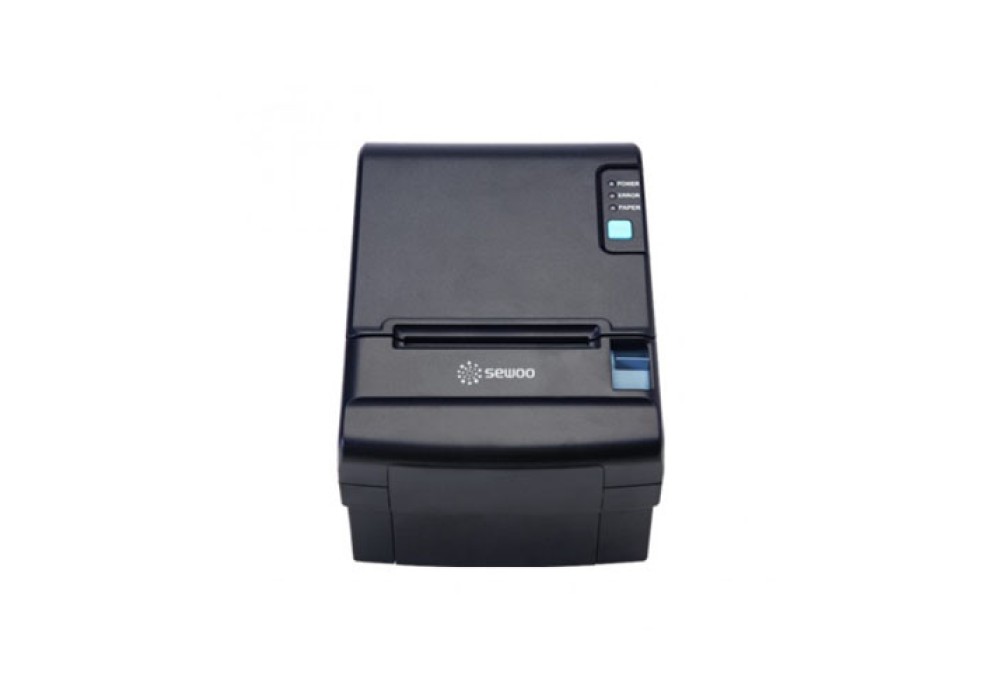
Sewoo SLK-TE212 3-inch Direct Thermal POS Printer
- Stock: Out Of Stock
- Model: Sewoo SLK-TE212
22,500৳
0৳
Avail EMI Offer View Plans
EMI starts at 7,890৳/month.
EMI starts at 7,890৳/month.
Chat Through
অভ্যন্তরীণ বাজারদরের সাথে সামঞ্জস্য রেখে পণ্যের মূল্য নির্ধারণ ও পরিবর্তন হতে পারে। ব্র্যান্ড, মডেল ও ফিচারের উপর ভিত্তি করে দামে পার্থক্য দেখা যায়। বিস্তারিত জানতে আমাদের হটলাইনে কল করুন: +880 2223-374695।
Quick Compare
Quick Compare
Comparison of Sewoo SLK-TE212 vs Sewoo LKP21 vs TM-U220B vs RP850-USE which are most simmiler.
| Product | Sewoo SLK-TE212 3-inch Direct Thermal POS Printer | Sewoo LKP21 Wireless POS Printer | Epson TM-T81III POS Printer | Rongta RP850-USE 300mm/s Thermal Receipt Printer |
| Image |  |
 |
 |
 |
| Price | |
|
|
|
| Model | Sewoo SLK-TE212 | Sewoo LKP21 | TM-U220B | RP850-USE |
| Brand | Sewoo | Sewoo | EPSON | Rongta |
| Availability | Out Of Stock | In Stock | In Stock | In Stock |
| Rating | Based on 0 reviews. |
Based on 0 reviews. |
Based on 0 reviews. |
Based on 0 reviews. |
| Summary | Sewoo SLK-TE212 3-inch Direct Thermal POS PrinterPrinting Specification:METHOD : Direct ThermalSPEED : Max.220mm/secWIDTH : 72mmRESOLUTION : 180 DPI / 203 DPI(Optional)DIRECTION : Unidirectional with Friction FeedPaper Specification:TYPE: Thermal Receipt PaperWIDTH :50 mm ~ 82.5 mmTHICKNESS : 0.06 ~ 0.09 mmROLL DIAMETER : Max. Ø 80.0 mmROLL CORE INNER DIAMETER : 12.5 mm ± 0.5 mmInterface:STANDARD : USBOPTION : Serial(RS-232C), Parallel(IEEE1284), Ethernet, Wi-Fi(802.11b), Bluetooth(iOS).. | Sewoo LKP21 Wireless POS PrinterReceipt only . Light weight(240g with battery) & with robust durable structure . Compact size : 80mm x 132.5mm x 46.8mm(W x D x H). Drop resistance : 1.2M onto concreteLithium- ion rechargeable battery : 130M(about 1300 pieces) printable . Prints at 80mm per second .Dual headed MSR(Optional) .Equipped power options AC/DC charger and vehicle charger(12/24V)Features:• Receipt only• Light weight(240g with battery) & with robust durable structure• Compact size : 80mm x 132.5mm x 46.8mm(W x D x H)• Drop resistance : 1.2M onto concrete• Lithium- ion rechargeable battery : 130M(about 1300 pieces) printable• Prints at 80mm per second• Dual headed MSR(Optional)• Equipped power options AC/DC charger and vehicle charger(12/24V).. | Epson TM-T81III POS Printer – Reliable & High-Speed Printing SolutionThe Epson TM-T81III POS Printer is a high-performance thermal receipt printer designed for businesses that require fast and reliable printing. With a compact and durable design, this printer is perfect for retail stores, restaurants, and service counters. Equipped with a 203 x 203 dpi print resolution, the TM-T81III delivers crisp and clear receipts, ensuring a professional look for every transaction. It boasts an impressive print speed of up to 200mm per second, allowing businesses to process customer transactions efficiently with minimal wait time. This printer supports 80mm paper rolls, making it compatible with standard-sized receipt paper. Its built-in USB and Serial (9-pin) connectivity provide flexible connection options, allowing seamless integration with various POS systems. The Epson TM-T81III features a built-in power supply (AC 100-230V, 50-60Hz), ensuring stable performance with low power consumption—approximately 27.8W during operation and only 0.96W in standby mode. Designed with compact dimensions (192 x 149 x 144 mm), this printer saves valuable counter space while maintaining high durability. Backed by a 1-year warranty, it ensures long-lasting performance and reliability. Upgrade your business with the Epson TM-T81III POS Printer and enjoy fast, high-quality, and efficient receipt printing for a smooth customer experience.Features of the Epson TM-T81III POS PrinterHigh-Speed Printing: The TM-T81III offers fast print speeds of up to 200mm per second, ensuring your transactions are processed swiftly without any delays.Thermal Print Technology: Unlike ink-based printers, thermal printers do not require ink or ribbons. This reduces maintenance costs and the likelihood of printer malfunctions.Compact and Durable Design: The printer is compact, making it easy to fit in small retail spaces. It is also built to withstand high-volume printing without frequent breakdowns.Energy-Efficient: The printer's design ensures low power consumption, making it an eco-friendly and cost-effective choice for businesses.User-Friendly Interface: The Epson TM-T81III comes with simple controls, making it easy for employees to operate even with minimal training.Epson TM-T81III SetupSetting up the Epson TM-T81III POS printer is straightforward. After unboxing, connect the printer to your point of sale (POS) system using the provided cables (USB, serial, or Ethernet, depending on your model). Install the printer driver on your computer by downloading it from the official Epson website. Once the software is installed, you can easily configure the printer settings and start printing.Epson TM-T81III Driver InstallationFor the Epson TM-T81III printer to function correctly with your POS system, it is essential to install the proper driver. You can download the official Epson TM-T81III driver from the Epson website, ensuring compatibility with Windows 10 or other operating systems. Once downloaded, run the installer and follow the on-screen instructions to complete the setup process.Epson TM-T81III Driver for Windows 10If you're using Windows 10, it’s essential to download the correct Epson TM-T81III driver version for seamless compatibility. The right driver allows your computer and printer to communicate effectively, ensuring smooth operation. Installing the proper driver ensures that the Epson TM-T81III POS printer functions efficiently, enabling you to print receipts, invoices, and other documents without issues. To get the driver, visit the official Epson website and choose the appropriate version for your operating system. Once downloaded and installed, the driver will optimize the printer’s performance, improving speed and print quality. Ensuring the correct driver is installed is crucial for avoiding printing errors and achieving maximum productivity.Epson TM-T81III Printer Driver DownloadYou can quickly download the Epson TM-T81III printer driver from the official Epson support website. The download process is straightforward, and it's essential to choose the correct driver version based on your system’s operating system, whether it's Windows 10, macOS, or another supported platform. Once downloaded, the installation is simple and user-friendly, allowing your printer to function seamlessly with your computer. Proper installation ensures that the Epson TM-T81III communicates effectively with your system, providing high-quality printing for receipts, invoices, and other documents. Always ensure that you select the right version of the driver to avoid compatibility issues and maintain optimal printer performance.POS Printer Solutions for BangladeshIn Bangladesh, there is a growing demand for POS printer solutions, especially in retail and hospitality sectors. Epson offers high-quality POS printers, including the TM-T81III, which meets the needs of businesses looking for efficient and durable receipt printing solutions. By using Epson POS printers, businesses can improve their customer service by ensuring faster transactions and reducing wait times... | Rongta RP850-USE 300mm/s Thermal Receipt PrinterRongta RP850 80mm Thermal Receipt POS Printer is comes with 300mm/s PPM Black Speed, 8 dots/mm, 576 dots/line Print Resolution, RS-232, Parallel, USB, Ethernet Interface. This POS printer is also supports Windows2000/XP/7/VISTA operating system. This Thermal Line printer also provides 300mm/s Printing Speed, 384 dots/line or 576 dots/line Printing density, 6 million lines MCBF, 100 million impulses (100km) Thermal printing head, 2 million cuts Auto cutter. This printer require DC 24V,2.5A Power supply, DC 24V, 1A Cash drawer Control. By using this POS printer, you can enjoy Order alarm with color light and also Adopt alloy in inner important part with Easy paper loading,improve working efficiency with auto cutter. This stylish POS Printer also support USB,Parallel interfaces(Have other interface optional). XBLH is cost effective, energy-efficient thermal printer is ideal for low-volume retailers, food service and virtual terminal applications. It combines basic POS printing functionality with high reliability and ease-of-use features with Internal important parts are with metal material, Easy paper loading, with auto cutter, full cut/partial cut optional, Paper end sensor, paper near end sensor (for flat) with Simple and elegant, with high optical mirror and sticks appearance. .. |
