
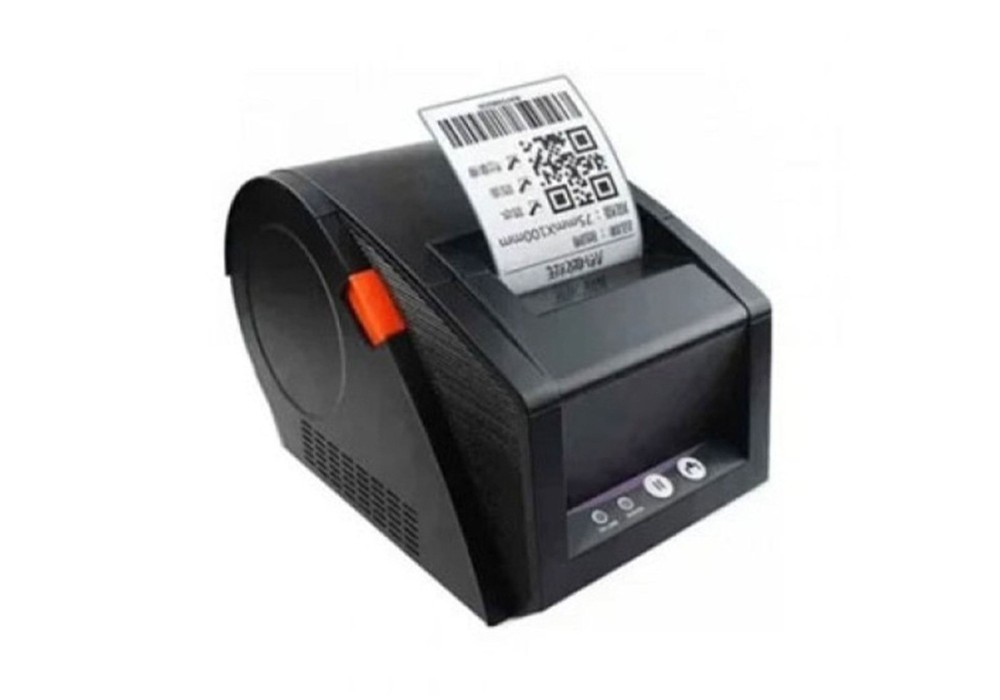
- Stock: In Stock
- Model: GP3120TU
Chat Through
G-PRINTER GP-3120TUC – High-Speed 80mm Barcode & Receipt Printer
The high-performance barcode and receipt printer in Bangladesh, the G-PRINTER GP-3120TUC, is the perfect choice for your business. Designed for retail stores, restaurants, warehouses, and offices, this printer combines speed, precision, and durability in a compact design. With its 80mm thermal printing technology, it delivers crisp receipts and accurate barcode prints in seconds, reducing waiting time and increasing efficiency. The G-Printer GP-3120TU Barcode Printer Price in Bangladesh is easy to set up and compatible with multiple operating systems, including Windows, Linux, and Android, making it versatile for any business environment. Whether you need it for printing POS receipts, shipping labels, or barcode tags, the GP-3120TUC ensures reliable performance even in heavy-duty use. This printer also features energy-efficient operation, helping businesses reduce electricity costs while maintaining high-speed printing. Its robust build quality ensures long-lasting performance even in busy environments, and the plug-and-play design makes installation effortless. The GP-3120TUC supports various paper rolls and label sizes, giving you flexibility for different printing needs. With low maintenance requirements and minimal downtime, your business operations stay smooth and uninterrupted.
For businesses looking for affordable and reliable printing solutions, the G-Printer GP-3120TU Barcode Printer Price in Bangladesh offers unmatched value. Many small and medium enterprises in Bangladesh have chosen the GP-3120TU to improve workflow productivity and ensure professional-quality printing every time. With fast printing speeds, durable construction, and cost-effective operation, this printer stands out as a trusted solution for businesses aiming to streamline their operations while maintaining high-quality prints. The G-Printer GP-3120TU Barcode Printer Price in Bangladesh is competitive, making it a smart investment for any growing business.
Main feature of G-PRINTER GP-3120TUC BARCODE & RECEIPT PRINTER 80MM
The G-PRINTER GP-3120TUC is a high-performance barcode and receipt printer designed to meet the needs of modern businesses in Bangladesh. Combining speed, reliability, and user-friendly design, it ensures accurate printing for retail stores, restaurants, warehouses, and offices. Its 80mm thermal printing technology delivers crisp receipts and precise barcode labels in seconds, helping businesses save time and increase efficiency.
Key Features:
- High-Speed Printing: Prints receipts and barcodes quickly to reduce waiting time. With speeds up to 250mm per second, the GP-3120TUC ensures customers and staff spend less time waiting. Its high-speed performance is ideal for busy retail stores, restaurants, and warehouses, helping businesses improve workflow efficiency and customer satisfaction.
- Compact & Durable Design: Sturdy build ideal for busy business environments. The compact footprint fits neatly on counters or workstations without taking up much space. Its durable construction can withstand daily heavy use, ensuring long-lasting performance even in demanding conditions.
- Easy Setup: Plug-and-play installation compatible with Windows, Linux, and Android. No complicated drivers or technical expertise are required, so businesses can start printing immediately. Its user-friendly design reduces setup time and avoids interruptions to daily operations.
- Versatile Paper Support: Works with various paper rolls and label sizes. Whether printing receipts, shipping labels, or barcode tags, the GP-3120TUC adapts to your business needs. This flexibility allows seamless integration into different POS systems and business workflows.
- Energy Efficient: Reduces electricity costs while maintaining optimal performance. The printer uses low power without compromising speed or print quality. Businesses can benefit from lower energy bills while supporting eco-friendly operations.
- Low Maintenance: Minimal downtime ensures smooth and uninterrupted operations. The GP-3120TUC requires very little maintenance, reducing repair costs and operational disruptions. With robust reliability, it keeps businesses running efficiently day after day.
With these features, the G-PRINTER GP-3120TUC offers a reliable, cost-effective solution for businesses aiming to enhance productivity. Its combination of speed, durability, and versatility makes it a trusted choice for professionals across Bangladesh.
Connect Any POS System Easily – Full Support for Windows, Linux & Android
The G-PRINTER GP-3120TUC Barcode & Receipt Printer 80mm is designed to work seamlessly with any POS system, offering full support for Windows, Linux, and Android. Whether you are running a retail store, restaurant, or warehouse, this printer ensures smooth integration with your existing software, eliminating compatibility issues. Its plug-and-play setup makes installation quick and hassle-free, so businesses can start printing receipts and barcodes immediately. As a part of the Office Equipment category, the GP-3120TUC is ideal for efficient workflow management and inventory tracking, providing reliable performance for small and medium enterprises. With fast thermal printing, accurate barcode generation, and wide system compatibility, it guarantees a professional printing experience for every business environment in Bangladesh.
The printer’s compact and robust design makes it perfect for busy counters, saving space without compromising durability. Its energy-efficient operation reduces electricity costs while delivering consistent, high-speed printing. The GP-3120TUC also supports various paper rolls and label sizes, offering flexibility for different business needs. Additionally, with low maintenance requirements and minimal downtime, it ensures uninterrupted operations, making it a trusted choice for businesses aiming to enhance productivity and streamline daily processes.
Boost Efficiency with High-Speed 80mm Thermal Printers
The G-PRINTER GP-3120TUC Barcode & Receipt Printer 80mm is built to enhance business efficiency with its high-speed thermal printing technology. Delivering crisp receipts and clear barcodes in seconds, it helps reduce customer wait times and streamline daily operations. As a top choice in the Best Component category, it provides durable performance and reliable output for retail, restaurants, and office setups. Additionally, this printer is listed under All Accessories, making it a versatile tool that complements existing POS systems and office setups. With plug-and-play installation, wide compatibility, and cost-effective operation, the GP-3120TUC ensures businesses in Bangladesh get fast, accurate, and professional printing for every transaction.
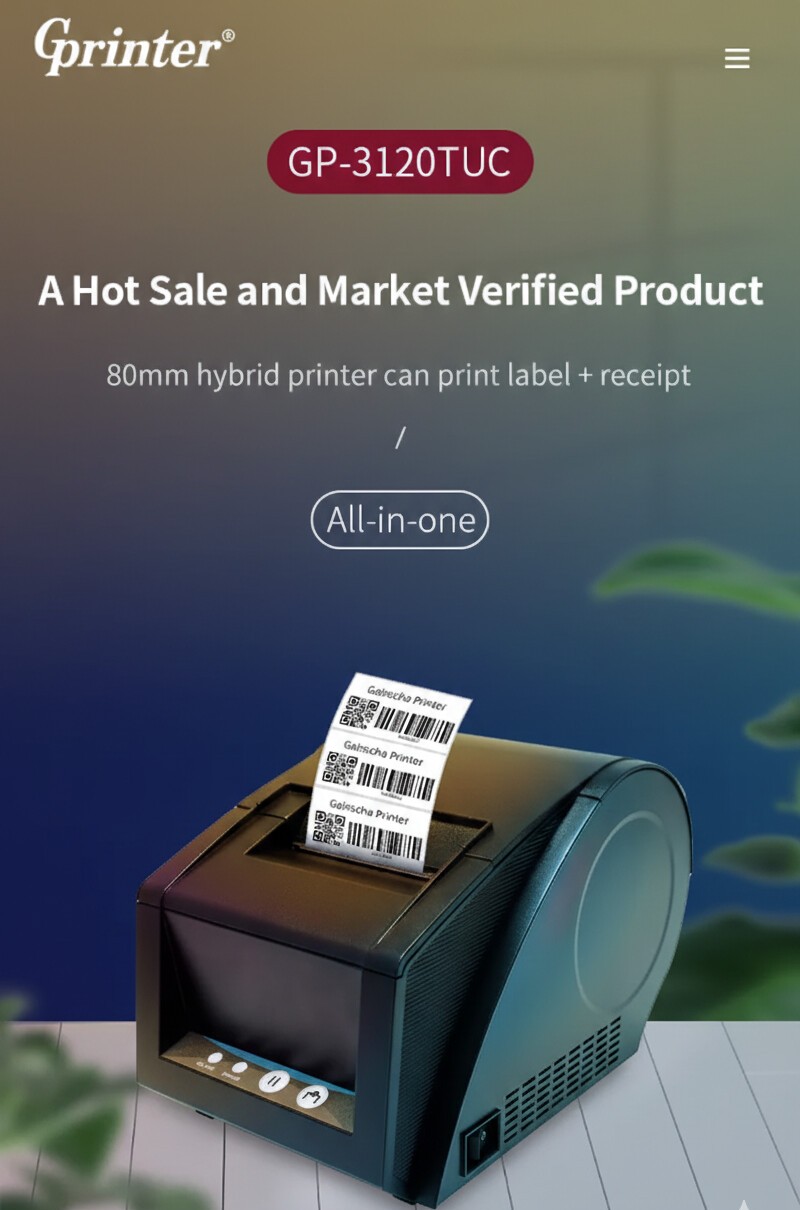
Looking for a high-performance portable printer? The G-PRINTER GP-3120TUC pairs perfectly with other reliable devices like the Xprinter XP-P810 Direct Thermal POS Printer, ensuring seamless printing for receipts and barcodes. Ideal for businesses seeking High-Quality POS Printer solutions, it complements the Gprinter series, offering fast, accurate, and professional printing. Upgrade your office setup with devices designed for efficiency and durability.
Get the High-Speed G-PRINTER GP-3120TUC Today at Onix BD
Upgrade your business printing with the G-PRINTER GP-3120TUC Barcode & Receipt Printer 80mm, available now at Onix BD. Experience fast, accurate, and reliable printing that saves time and boosts efficiency. Don’t miss out on this top-rated POS printer in Bangladesh – order today and take advantage of the competitive G-Printer GP-3120TU Barcode Printer Price in Bangladesh to streamline your workflow instantly.
As part of our Latest Printer category, the GP-3120TUC is perfect for retail stores, restaurants, warehouses, and offices looking for a versatile and durable printing solution. Its plug-and-play setup ensures hassle-free installation, while wide system compatibility with Windows, Linux, and Android makes it ideal for any business environment. With energy-efficient operation and support for multiple paper rolls and label sizes, this printer reduces costs while maintaining professional-quality prints. Onix BD guarantees genuine products with authorized warranties, giving you peace of mind and reliable customer support. Order your G-PRINTER GP-3120TUC today from Onix BD and enjoy a high-performance printing solution that enhances productivity, improves workflow, and delivers exceptional value for small and medium enterprises across Bangladesh.
Quick Compare
Comparison of GP3120TU vs RPP300BU vs RPP200BU vs Xprinter XP-E260M which are most simmiler.
| Product | G-PRINTER GP-3120TUC BARCODE & RECEIPT PRINTER 80MM | Rongta RPP300BU 48mm Thermal POS Printer | Rongta RPP200BU 48mm Thermal POS Printer | Xprinter XP-E260M Thermal POS Printer |
| Image |  |
 |
 |
 |
| Price | |
|
|
|
| Model | GP3120TU | RPP300BU | RPP200BU | Xprinter XP-E260M |
| Brand | G-PRINTER | Rongta | Rongta | Xprinter |
| Availability | In Stock | In Stock | In Stock | In Stock |
| Rating | Based on 1 reviews. |
Based on 0 reviews. |
Based on 0 reviews. |
Based on 0 reviews. |
| Summary | G-PRINTER GP-3120TUC – High-Speed 80mm Barcode & Receipt Printer The high-performance barcode and receipt printer in Bangladesh, the G-PRINTER GP-3120TUC, is the perfect choice for your business. Designed for retail stores, restaurants, warehouses, and offices, this printer combines speed, precision, and durability in a compact design. With its 80mm thermal printing technology, it delivers crisp receipts and accurate barcode prints in seconds, reducing waiting time and increasing efficiency. The G-Printer GP-3120TU Barcode Printer Price in Bangladesh is easy to set up and compatible with multiple operating systems, including Windows, Linux, and Android, making it versatile for any business environment. Whether you need it for printing POS receipts, shipping labels, or barcode tags, the GP-3120TUC ensures reliable performance even in heavy-duty use. This printer also features energy-efficient operation, helping businesses reduce electricity costs while maintaining high-speed printing. Its robust build quality ensures long-lasting performance even in busy environments, and the plug-and-play design makes installation effortless. The GP-3120TUC supports various paper rolls and label sizes, giving you flexibility for different printing needs. With low maintenance requirements and minimal downtime, your business operations stay smooth and uninterrupted. For businesses looking for affordable and reliable printing solutions, the G-Printer GP-3120TU Barcode Printer Price in Bangladesh offers unmatched value. Many small and medium enterprises in Bangladesh have chosen the GP-3120TU to improve workflow productivity and ensure professional-quality printing every time. With fast printing speeds, durable construction, and cost-effective operation, this printer stands out as a trusted solution for businesses aiming to streamline their operations while maintaining high-quality prints. The G-Printer GP-3120TU Barcode Printer Price in Bangladesh is competitive, making it a smart investment for any growing business. Main feature of G-PRINTER GP-3120TUC BARCODE & RECEIPT PRINTER 80MM The G-PRINTER GP-3120TUC is a high-performance barcode and receipt printer designed to meet the needs of modern businesses in Bangladesh. Combining speed, reliability, and user-friendly design, it ensures accurate printing for retail stores, restaurants, warehouses, and offices. Its 80mm thermal printing technology delivers crisp receipts and precise barcode labels in seconds, helping businesses save time and increase efficiency. Key Features: High-Speed Printing: Prints receipts and barcodes quickly to reduce waiting time. With speeds up to 250mm per second, the GP-3120TUC ensures customers and staff spend less time waiting. Its high-speed performance is ideal for busy retail stores, restaurants, and warehouses, helping businesses improve workflow efficiency and customer satisfaction. Compact & Durable Design: Sturdy build ideal for busy business environments. The compact footprint fits neatly on counters or workstations without taking up much space. Its durable construction can withstand daily heavy use, ensuring long-lasting performance even in demanding conditions. Easy Setup: Plug-and-play installation compatible with Windows, Linux, and Android. No complicated drivers or technical expertise are required, so businesses can start printing immediately. Its user-friendly design reduces setup time and avoids interruptions to daily operations. Versatile Paper Support: Works with various paper rolls and label sizes. Whether printing receipts, shipping labels, or barcode tags, the GP-3120TUC adapts to your business needs. This flexibility allows seamless integration into different POS systems and business workflows. Energy Efficient: Reduces electricity costs while maintaining optimal performance. The printer uses low power without compromising speed or print quality. Businesses can benefit from lower energy bills while supporting eco-friendly operations. Low Maintenance: Minimal downtime ensures smooth and uninterrupted operations. The GP-3120TUC requires very little maintenance, reducing repair costs and operational disruptions. With robust reliability, it keeps businesses running efficiently day after day. With these features, the G-PRINTER GP-3120TUC offers a reliable, cost-effective solution for businesses aiming to enhance productivity. Its combination of speed, durability, and versatility makes it a trusted choice for professionals across Bangladesh. Connect Any POS System Easily – Full Support for Windows, Linux & Android The G-PRINTER GP-3120TUC Barcode & Receipt Printer 80mm is designed to work seamlessly with any POS system, offering full support for Windows, Linux, and Android. Whether you are running a retail store, restaurant, or warehouse, this printer ensures smooth integration with your existing software, eliminating compatibility issues. Its plug-and-play setup makes installation quick and hassle-free, so businesses can start printing receipts and barcodes immediately. As a part of the Office Equipment category, the GP-3120TUC is ideal for efficient workflow management and inventory tracking, providing reliable performance for small and medium enterprises. With fast thermal printing, accurate barcode generation, and wide system compatibility, it guarantees a professional printing experience for every business environment in Bangladesh. The printer’s compact and robust design makes it perfect for busy counters, saving space without compromising durability. Its energy-efficient operation reduces electricity costs while delivering consistent, high-speed printing. The GP-3120TUC also supports various paper rolls and label sizes, offering flexibility for different business needs. Additionally, with low maintenance requirements and minimal downtime, it ensures uninterrupted operations, making it a trusted choice for businesses aiming to enhance productivity and streamline daily processes. Boost Efficiency with High-Speed 80mm Thermal Printers The G-PRINTER GP-3120TUC Barcode & Receipt Printer 80mm is built to enhance business efficiency with its high-speed thermal printing technology. Delivering crisp receipts and clear barcodes in seconds, it helps reduce customer wait times and streamline daily operations. As a top choice in the Best Component category, it provides durable performance and reliable output for retail, restaurants, and office setups. Additionally, this printer is listed under All Accessories, making it a versatile tool that complements existing POS systems and office setups. With plug-and-play installation, wide compatibility, and cost-effective operation, the GP-3120TUC ensures businesses in Bangladesh get fast, accurate, and professional printing for every transaction. Looking for a high-performance portable printer? The G-PRINTER GP-3120TUC pairs perfectly with other reliable devices like the Xprinter XP-P810 Direct Thermal POS Printer, ensuring seamless printing for receipts and barcodes. Ideal for businesses seeking High-Quality POS Printer solutions, it complements the Gprinter series, offering fast, accurate, and professional printing. Upgrade your office setup with devices designed for efficiency and durability. Get the High-Speed G-PRINTER GP-3120TUC Today at Onix BD Upgrade your business printing with the G-PRINTER GP-3120TUC Barcode & Receipt Printer 80mm, available now at Onix BD. Experience fast, accurate, and reliable printing that saves time and boosts efficiency. Don’t miss out on this top-rated POS printer in Bangladesh – order today and take advantage of the competitive G-Printer GP-3120TU Barcode Printer Price in Bangladesh to streamline your workflow instantly. As part of our Latest Printer category, the GP-3120TUC is perfect for retail stores, restaurants, warehouses, and offices looking for a versatile and durable printing solution. Its plug-and-play setup ensures hassle-free installation, while wide system compatibility with Windows, Linux, and Android makes it ideal for any business environment. With energy-efficient operation and support for multiple paper rolls and label sizes, this printer reduces costs while maintaining professional-quality prints. Onix BD guarantees genuine products with authorized warranties, giving you peace of mind and reliable customer support. Order your G-PRINTER GP-3120TUC today from Onix BD and enjoy a high-performance printing solution that enhances productivity, improves workflow, and delivers exceptional value for small and medium enterprises across Bangladesh... | Rongta RPP300BU 48mm Thermal POS Printer Step up your business operations with the Rongta RPP300BU 48mm Thermal POS Printer, designed to deliver fast, clear, and dependable receipt printing every time. Whether you run a retail store, restaurant, or small business, this compact yet powerful printer ensures smooth transactions and keeps your customers happy. Its plug-and-play USB connectivity makes setup effortless, while the high-speed printing of up to 90mm/sec ensures minimal wait time at checkout. Built with durable materials, the Rongta RPP300BU is not only reliable but also energy-efficient, reducing your operational costs. With crisp text, clear logos, and seamless compatibility with most POS systems, it’s a smart choice for any business aiming to enhance efficiency. Experience hassle-free printing with automatic paper feed and easy maintenance, making your daily operations smoother than ever. Upgrade to the Rongta RPP300BU and enjoy precision, speed, and reliability in one compact device. Best feature of Rongta RPP300BU 48mm Thermal POS Printer High-Speed Printing: Prints receipts up to 90mm/sec, ensuring fast and smooth transactions. Perfect for busy counters where every second counts. Compact & Durable Design: Small footprint and robust construction make it ideal for retail, restaurants, and small business environments. Fits neatly on any counter without taking up much space. Easy Connectivity: Supports USB interface with plug-and-play setup, making installation effortless. Compatible with most operating systems for hassle-free integration. Automatic Paper Feed: Minimizes manual handling and ensures consistent, uninterrupted printing. Helps staff focus more on customers rather than printer adjustments. Wide POS Compatibility: Works seamlessly with most POS systems and software, offering flexibility across multiple business setups. No complex configurations needed. Energy Efficient & Reliable: Consumes low power while delivering consistent, high-quality printing. Built to withstand daily use, reducing maintenance needs and operational costs. Fast, Reliable, and Compact – The Perfect POS Printer from Onix BD Enhance your business efficiency with the Rongta RPP300BU 48mm Thermal POS Printer, available at Onix BD. Designed for speed and reliability, this printer is perfect for retail, restaurants, and small businesses. Pair it with the Rongta RP328-USE Thermal Receipt Printer for versatile printing solutions, or explore our POS Printer collection to find the best fit. Trusted for fast receipt printing, easy connectivity, and durable design, the Rongta RPP300BU ensures smooth transactions. Upgrade your setup today with Onix BD and experience seamless, high-quality POS printing... | Rongta RPP200BU 48mm Thermal POS PrinterRongta RPP200BU 48mm is a Thermal POS Printer. It has a Print Speed of 80 mm/sec and the Print Width is 48mm. With a Print Resolution of 8 dot/mm or 203 dpi this POS printer has Built-in USB, LAN, WiFi, Bluetooth as connectivity Interface.This Thermal Mobile Printer has Mini size and double injection molding and rubber protection around, durable enough for anti-dropping non-slip design comes with a salient points on the rubber of the two sides. it comes with two the exclusive power indication light support USB, power adapter or mobile power charging. This Printer has standby mode to save power.featured with 250mm/s high speed printing, easy to maintain, improve work efficiency, Low noise, high speed image & characters printing, Easy paper loading, with auto cutter, partial/full cut optional, Flexible installation on countertop or wall using optional bracket and support paper out alarm and print prompt. This Pos printer comes with Flexible installation on countertop or wall using optional bracket, Prarllel, serial, USB, Ethernet interfaces and Compatible with ESC/POS System. This mobile printer can be used directly from the phone With a Provided SDK for IOS and Android... | Xprinter XP-E260M Thermal POS PrinterXprinter XP-E260M Thermal POS Printer is an upper level model among 80mm series. The Xprinter XP-E260M is a thermal POS (point of sale) printer designed for use in retail and hospitality environments. It is a compact, high-speed printer that is capable of producing high-quality receipts, invoices, and other types of printed documents.The XP-E260M features a maximum print speed of 260mm/sec, making it one of the fastest thermal POS printers on the market. It also has a built-in automatic cutter that allows for easy and precise cutting of receipts, labels, and other types of media.The XP-E260M support multiple interface and emulations options, including USB, Serial, Ethernet, and even Wi-Fi. It also supports various paper widths and thicknesses, which allows it to handle a variety of different printing applications.This printer is designed to be easy to use and maintain, with a user-friendly control panel and easy access to key components for It also has built-in power protection to prevent damage to the print head, which increases the life of the printer.The Xprinter XP-E260M is a versatile and reliable thermal POS printer that is well-suited for a wide range of point-of-sale and printing applications in retail and hospitality environments.PRODUCT OVERVIEWXP-E260M is an upper-level model among 80mm series. While featuring Max print speed of 300mm/s, it takes good care of your receipt printing task with its reliable performance such as reprinting, order reminding function. Easy use features include drop-in paper loading and auto-cutter.XP-E200M/XP-E260M/XP-E300M is an upper level model among 80mm series. While featuring Max print speed of 300mm/s, it takes good care of your receipt printing task with its reliable performance such as reprinting, order reminding function, etc. Online visit our shop Onixbd.com... |
