
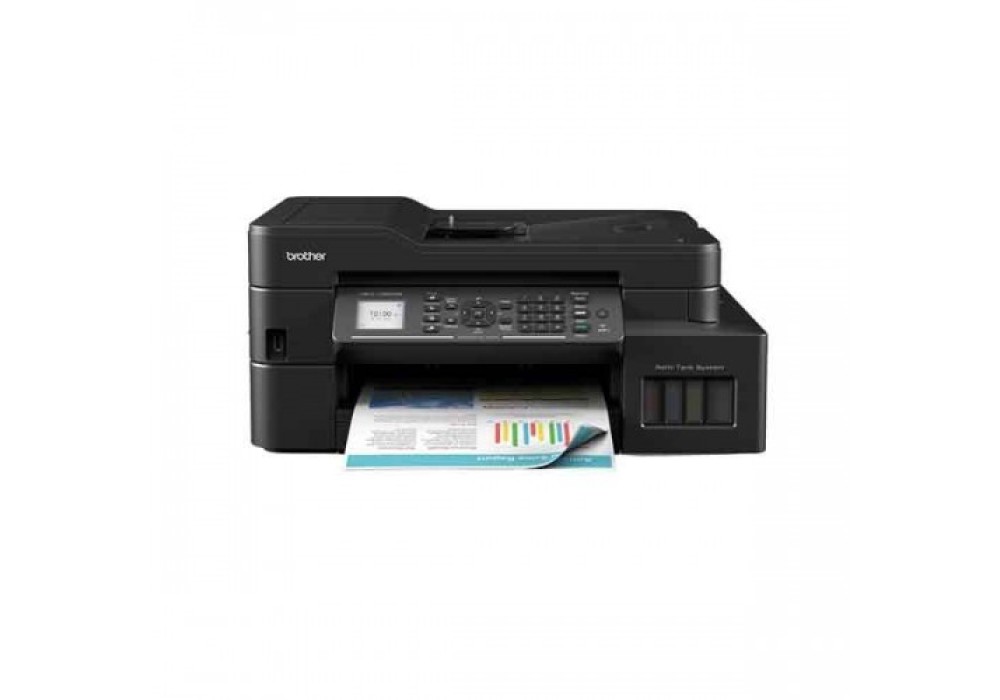
Brother MFC-T920DW All-in-One Color Ink Tank Printer
- Stock: In Stock
- Model: MFC-T920DW

39,000৳
Avail EMI Offer View Plans
EMI starts at 13,676৳/month.
EMI starts at 13,676৳/month.
Chat Through
অভ্যন্তরীণ বাজারদরের সাথে সামঞ্জস্য রেখে পণ্যের মূল্য নির্ধারণ ও পরিবর্তন হতে পারে। ব্র্যান্ড, মডেল ও ফিচারের উপর ভিত্তি করে দামে পার্থক্য দেখা যায়। বিস্তারিত জানতে আমাদের হটলাইনে কল করুন: +880 2223-374695।
Description
Brother MFC-T920DW All-in-One Color Ink Tank Printer
The Brother MFC-T920DW All-in-One Color Ink Tank Printer is a versatile and efficient printing solution for homes and small offices. With its multifunctional capabilities, it covers all essential office tasks, including printing, scanning, copying, and faxing.This printer stands out with its high-quality color output, making it perfect for both professional documents and vibrant photos. It boasts a remarkable print resolution of 1200 x 6000 dpi, ensuring sharp and detailed prints. Plus, its fast printing speeds of up to 30 ppm for black and 26 ppm for color keep productivity levels high.The generous input paper capacity of up to 80 sheets and support for various paper sizes and types, including envelopes and glossy paper, make it adaptable to various printing needs. The automatic duplex printing feature also helps save on paper costs.Scanning is a breeze with the Brother MFC-T920DW, offering an optical scan resolution of 1200 x 2400 dpi. It includes a 1.8-inch TFT color LCD for easy navigation and user-friendly control.Connectivity options are extensive, including LAN, Wi-Fi, and USB 2.0. The printer supports both wired and wireless connections, allowing for flexible placement within your workspace.
This printer's efficient power consumption profile ensures you save on energy costs, with power-off mode using as little as 0.2 W.With the included warranty covering one year, you have peace of mind knowing that Brother stands behind the quality and durability of their product.In summary, the Brother MFC-T920DW All-in-One Color Ink Tank Printer is a reliable and feature-rich solution that caters to a wide range of printing needs. Its high-resolution printing, versatile paper handling, and efficient connectivity options make it a valuable addition to any home or small office environment.
Features:
Print at Full Speed
With a document print speed of up to 17/16.5 ipm*, Brother printers speed up your workflows so you can do more in less time. From printing professional reports to outstanding brochures, you can confidently create powerful business materials that will make the best impression.
*Based on ISO/IEC 24734. For more information, please refer to www.brother.com/rd/printspeed
Handle Tasks Efficiently
Handle a variety of print jobs with a 150 sheets paper tray adjustable for different paper sizes and an additional single-sheet manual feed slot for various paper types. Moreover, the 20 sheets Auto Document Feeder (ADF) allows for convenient scanning and copying multiple pages.
Save More with Every Print
Lower your cost per print with Brother’s Ultra High Yield Ink bottles. Print up to 15,000** pages in black and 5,000** pages in color! Our affordable genuine ink ensures long-lasting machines and print heads, so you save more in the long run.
**Quoted approx. yields are extrapolated based on Brother original methodology using Test Pattern ISO/IEC 24712. Quoted approx. yields are not based on ISO/IEC 24711.
Refill Easily & Accurately
Brother’s Refill Ink Tank printers features a transparent cover that allows for easy front access to the embedded ink tank. The user-friendly design is engineered to minimise the risk of mess and leakage.
Print from anywhere
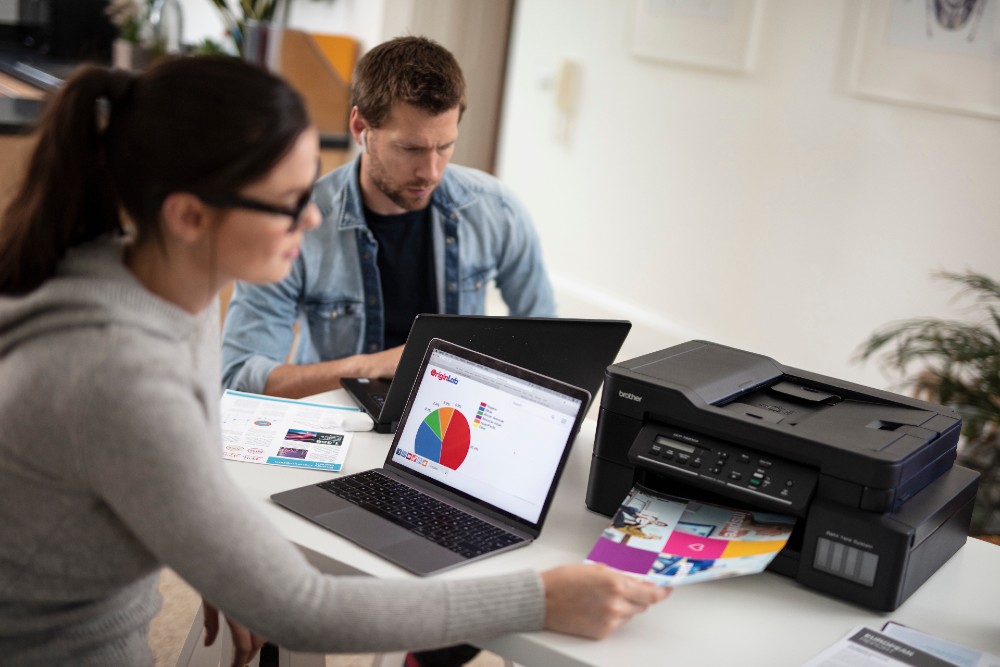
With flexible connectivity options, our printers are designed to suit all work environments. Built-in Wi-Fi allows your entire workgroup to effortlessly share one device. Plus, Brother printers are equipped with direct mobile print for the convenience of printing wirelessly from your mobile devices.
Easy to use
Brother Ink Tank Printers are plug and play. You can use them straight out of the box without any driver installation. The simple user interface also makes the printers a breeze to use.
some additional features of Brother MFC-T920DW All-in-One Color Ink Tank Printer include:
- Wireless Connectivity: With built-in Wi-Fi connectivity, you can easily print from your mobile devices, laptops, and computers without the need for cables. This wireless capability makes it convenient for multiple users in a shared office environment.
- High-Resolution Scanning: The printer's optical scan resolution of up to 1200 x 2400 dpi ensures that scanned documents and images maintain exceptional clarity and detail.
- Automatic Document Feeder (ADF): The ADF feature enables efficient and quick scanning or copying of multiple-page documents, saving you time and effort.
- Duplex Printing: Automatic duplex printing allows you to print on both sides of the paper, reducing paper consumption and helping you save on costs.
- LCD Touchscreen: The 1.8-inch TFT color LCD touchscreen provides an intuitive interface for easy navigation and configuration of printer settings.
- Mobile Printing Solutions: The printer supports various mobile printing options, including Brother iPrint&Scan, AirPrint, and Google Cloud Print, making it compatible with popular mobile devices and cloud services.
- Large Ink Tank Capacity: The printer comes with large ink tanks that can hold a substantial amount of ink, reducing the frequency of ink replacement and overall printing costs.
- Fax Capability: The fax function allows you to send and receive faxes directly from the printer, making it suitable for offices that require fax communication.
- Energy Efficiency: The printer's energy-saving features, such as low power consumption during standby and sleep modes, help reduce your energy bills and environmental impact.
- User-Friendly Design: The printer's compact and sleek design ensures it fits seamlessly into your workspace, and its user-friendly features make it accessible to users of all skill levels.
Brother MFC-T920DW All-in-One Color Ink Tank Printer Review:
The Brother MFC-T920DW All-in-One Color Ink Tank Printer is a versatile and cost-effective solution for small offices and home users. With its large ink tank capacity, you can print thousands of pages before needing to replace the ink, saving both time and money. The wireless connectivity options make it easy to print from various devices, and the automatic duplex printing feature reduces paper waste. Its high-resolution scanning ensures clear and detailed scans, while the user-friendly LCD touchscreen simplifies navigation. The inclusion of fax functionality adds extra utility. This printer offers excellent value for those in need of reliable color printing and multifunction capabilities in a compact and energy-efficient package.
Quick Compare
Quick Compare
Comparison of MFC-T920DW vs EcoTank L8050 vs HP Laser MFP 137fnw vs CP1100DW which are most simmiler.
| Product | Brother MFC-T920DW All-in-One Color Ink Tank Printer | Epson EcoTank L8050 Wi-Fi Single Function Color Ink Tank Printer | HP Laser MFP 137fnw Printer | Pantum CP1100DW Color Laser Printer (18 ppm) |
| Image |  |
 |
 |
 |
| Price | 39,000৳ | |
|
|
| Model | MFC-T920DW | EcoTank L8050 | HP Laser MFP 137fnw | CP1100DW |
| Brand | Brother | EPSON | HP | Pantum |
| Availability | In Stock | In Stock | In Stock | In Stock |
| Rating | Based on 2 reviews. |
Based on 1 reviews. |
Based on 0 reviews. |
Based on 1 reviews. |
| Summary | Brother MFC-T920DW All-in-One Color Ink Tank PrinterThe Brother MFC-T920DW All-in-One Color Ink Tank Printer is a versatile and efficient printing solution for homes and small offices. With its multifunctional capabilities, it covers all essential office tasks, including printing, scanning, copying, and faxing.This printer stands out with its high-quality color output, making it perfect for both professional documents and vibrant photos. It boasts a remarkable print resolution of 1200 x 6000 dpi, ensuring sharp and detailed prints. Plus, its fast printing speeds of up to 30 ppm for black and 26 ppm for color keep productivity levels high.The generous input paper capacity of up to 80 sheets and support for various paper sizes and types, including envelopes and glossy paper, make it adaptable to various printing needs. The automatic duplex printing feature also helps save on paper costs.Scanning is a breeze with the Brother MFC-T920DW, offering an optical scan resolution of 1200 x 2400 dpi. It includes a 1.8-inch TFT color LCD for easy navigation and user-friendly control.Connectivity options are extensive, including LAN, Wi-Fi, and USB 2.0. The printer supports both wired and wireless connections, allowing for flexible placement within your workspace.This printer's efficient power consumption profile ensures you save on energy costs, with power-off mode using as little as 0.2 W.With the included warranty covering one year, you have peace of mind knowing that Brother stands behind the quality and durability of their product.In summary, the Brother MFC-T920DW All-in-One Color Ink Tank Printer is a reliable and feature-rich solution that caters to a wide range of printing needs. Its high-resolution printing, versatile paper handling, and efficient connectivity options make it a valuable addition to any home or small office environment.Features:Print at Full SpeedWith a document print speed of up to 17/16.5 ipm*, Brother printers speed up your workflows so you can do more in less time. From printing professional reports to outstanding brochures, you can confidently create powerful business materials that will make the best impression.*Based on ISO/IEC 24734. For more information, please refer to www.brother.com/rd/printspeedHandle Tasks EfficientlyHandle a variety of print jobs with a 150 sheets paper tray adjustable for different paper sizes and an additional single-sheet manual feed slot for various paper types. Moreover, the 20 sheets Auto Document Feeder (ADF) allows for convenient scanning and copying multiple pages.Save More with Every PrintLower your cost per print with Brother’s Ultra High Yield Ink bottles. Print up to 15,000** pages in black and 5,000** pages in color! Our affordable genuine ink ensures long-lasting machines and print heads, so you save more in the long run.**Quoted approx. yields are extrapolated based on Brother original methodology using Test Pattern ISO/IEC 24712. Quoted approx. yields are not based on ISO/IEC 24711.Refill Easily & AccuratelyBrother’s Refill Ink Tank printers features a transparent cover that allows for easy front access to the embedded ink tank. The user-friendly design is engineered to minimise the risk of mess and leakage.Print from anywhereWith flexible connectivity options, our printers are designed to suit all work environments. Built-in Wi-Fi allows your entire workgroup to effortlessly share one device. Plus, Brother printers are equipped with direct mobile print for the convenience of printing wirelessly from your mobile devices.Easy to useBrother Ink Tank Printers are plug and play. You can use them straight out of the box without any driver installation. The simple user interface also makes the printers a breeze to use.some additional features of Brother MFC-T920DW All-in-One Color Ink Tank Printer include:Wireless Connectivity: With built-in Wi-Fi connectivity, you can easily print from your mobile devices, laptops, and computers without the need for cables. This wireless capability makes it convenient for multiple users in a shared office environment.High-Resolution Scanning: The printer's optical scan resolution of up to 1200 x 2400 dpi ensures that scanned documents and images maintain exceptional clarity and detail.Automatic Document Feeder (ADF): The ADF feature enables efficient and quick scanning or copying of multiple-page documents, saving you time and effort.Duplex Printing: Automatic duplex printing allows you to print on both sides of the paper, reducing paper consumption and helping you save on costs.LCD Touchscreen: The 1.8-inch TFT color LCD touchscreen provides an intuitive interface for easy navigation and configuration of printer settings.Mobile Printing Solutions: The printer supports various mobile printing options, including Brother iPrint&Scan, AirPrint, and Google Cloud Print, making it compatible with popular mobile devices and cloud services.Large Ink Tank Capacity: The printer comes with large ink tanks that can hold a substantial amount of ink, reducing the frequency of ink replacement and overall printing costs.Fax Capability: The fax function allows you to send and receive faxes directly from the printer, making it suitable for offices that require fax communication.Energy Efficiency: The printer's energy-saving features, such as low power consumption during standby and sleep modes, help reduce your energy bills and environmental impact.User-Friendly Design: The printer's compact and sleek design ensures it fits seamlessly into your workspace, and its user-friendly features make it accessible to users of all skill levels.Brother MFC-T920DW All-in-One Color Ink Tank Printer Review:The Brother MFC-T920DW All-in-One Color Ink Tank Printer is a versatile and cost-effective solution for small offices and home users. With its large ink tank capacity, you can print thousands of pages before needing to replace the ink, saving both time and money. The wireless connectivity options make it easy to print from various devices, and the automatic duplex printing feature reduces paper waste. Its high-resolution scanning ensures clear and detailed scans, while the user-friendly LCD touchscreen simplifies navigation. The inclusion of fax functionality adds extra utility. This printer offers excellent value for those in need of reliable color printing and multifunction capabilities in a compact and energy-efficient package... | Epson EcoTank L8050 Wi-Fi Single Function Color Ink Tank Printer for High-Quality Photo Printing The Epson EcoTank L8050 Wi-Fi Single Function Color Ink Tank Printer is designed for users who demand exceptional photo printing with ultra-low running costs. Featuring Epson’s advanced ink tank technology, this printer eliminates the need for traditional cartridges, offering a cost-effective and eco-friendly solution. It delivers stunning, lab-quality photos with vibrant colors and sharp details, making it ideal for photographers, creative professionals, and home users. With built-in Wi-Fi connectivity, the Epson EcoTank L8050 allows seamless wireless printing from smartphones, tablets, and laptops. Its compact design fits perfectly in any workspace, while the easy-to-refill ink tank system ensures mess-free operation. The printer supports high-resolution printing, ensuring every image comes out with precision and clarity. The Epson EcoTank L8050 is engineered for efficiency and durability, offering high page yields that significantly reduce printing costs over time. Whether you are printing photos, documents, or creative projects, this printer delivers consistent performance and reliability. Its user-friendly interface and fast printing speed make it a practical choice for both personal and professional use. Experience the perfect blend of performance, quality, and affordability with the Epson EcoTank L8050 printer. Features of Epson EcoTank L8050 Wi-Fi Single Function Color Ink Tank Printer High-quality photo printing with vibrant color output EcoTank technology for ultra-low printing cost Wi-Fi connectivity for wireless printing High page yield with refillable ink tank system Compact and space-saving design Easy and mess-free ink refilling system Supports mobile and app-based printing Reliable performance for home and office use Advanced Printing Technology and Performance The Epson EcoTank L8050 utilizes advanced printing technology to deliver superior photo quality and consistent performance. Its precision printhead ensures sharp text and detailed images, while the high-resolution output enhances every print. The printer is optimized for fast operation, allowing users to handle multiple printing tasks efficiently. Its ink system is designed for longevity, ensuring uninterrupted workflow for both personal and professional environments. Wireless Connectivity and User Convenience With built-in Wi-Fi support, the Epson EcoTank L8050 makes printing easier than ever. Users can print directly from smartphones, tablets, or laptops without the need for cables. The intuitive design and simple controls enhance user experience, making it suitable for beginners and professionals alike. Its compact body ensures it fits into small spaces while maintaining high productivity levels. Why Choose Epson EcoTank L8050 Wi-Fi Single Function Color Ink Tank Printer? The Epson EcoTank L8050 stands out as a reliable and cost-effective printing solution for users who prioritize quality and efficiency. Its cartridge-free design significantly reduces long-term expenses, making it an economical choice for frequent printing needs. The printer delivers outstanding photo quality, making it ideal for creative professionals and photography enthusiasts. Its wireless functionality ensures convenience, allowing users to print from anywhere within the network. Benefits of Epson EcoTank L8050 Wi-Fi Single Function Color Ink Tank Printer Lower printing cost with high-capacity ink tanks Exceptional photo and color printing quality Wireless printing convenience from multiple devices Reduced maintenance with refillable ink system Energy-efficient and eco-friendly design Compact size suitable for any workspace Consistent and reliable performance FAQ Q1: Does the Epson EcoTank L8050 support wireless printing?A1: Yes, it comes with built-in Wi-Fi for easy wireless printing from multiple devices. Q2: Is this printer suitable for photo printing?A2: Yes, it is specially designed to deliver high-quality photo prints with vibrant colors. Q3: Does it use cartridges or ink tanks?A3: It uses an EcoTank system with refillable ink tanks, eliminating the need for cartridges... | HP Laser MFP 137fnw Printer – Reliable, Fast, and Compact Printing Solution Looking for a printer that perfectly blends performance, speed, and efficiency? The HP Laser MFP 137fnw Printer is designed to meet all your home and small office printing needs. This compact yet powerful printer ensures high-quality black-and-white prints with sharp text and clear graphics, helping you create professional-looking documents effortlessly. Its multifunction capabilities – print, scan, copy, and fax – make it an all-in-one solution, saving space and enhancing productivity. With fast printing speeds and wireless connectivity options, you can easily print from your laptop, smartphone, or tablet without any hassle. HP’s reliable laser technology guarantees consistent results, low maintenance, and cost-effective operation, making it a smart choice for everyday use. Whether you are handling office reports, school projects, or personal documents, this printer ensures convenience, speed, and superior print quality every time. Why Choose HP Laser MFP 137fnw Printer All-in-One Functionality – Print, scan, copy, and fax from a single compact device, saving space and boosting productivity. This multifunctional capability eliminates the need for multiple devices, making your workspace organized and efficient. High-Quality Printing – Enjoy crisp, clear black-and-white prints with professional-grade text and graphics. Every document comes out sharp and legible, ideal for reports, invoices, and important presentations. Fast & Efficient – Print documents quickly with minimal wait time, perfect for busy home offices or small businesses. The printer’s speed ensures you meet deadlines without compromising on quality. Wireless Convenience – Easily print from laptops, smartphones, or tablets via Wi-Fi, enhancing workflow flexibility. You can also print directly from cloud services, making remote work hassle-free. Cost-Effective Operation – Reliable laser technology reduces frequent cartridge replacements and maintenance costs. Long-lasting toner cartridges provide more pages per refill, saving money in the long run. User-Friendly Design – Simple setup, intuitive controls, and a compact form factor make it easy to use anywhere. Even first-time users can operate it smoothly, making printing stress-free and convenient. Buy HP Laser MFP 137fnw Printer from Onix BD Discover the power and reliability of the HP Laser MFP 137fnw Printer at Onix BD. Perfect for home and small office use, this printer delivers crisp, professional-quality prints every time. Looking for alternatives? Check out the HP LaserJet Pro MFP M227fdn Multifunction Printer for advanced features and efficiency. Explore our wide range of options under All Printer and official HP products. With wireless printing, fast performance, and cost-effective operation, Onix BD ensures you get the best printing solutions to boost productivity and simplify your daily tasks... | Unleash Vibrant Printing with the Pantum CP1100DW Color Laser Printer Experience the Pantum CP1100DW Color Laser Printer—the height of printing excellence. Discover an array of vivid hues and exquisite details on several paper dimensions and kinds, ranging from A4 to envelopes and beyond. You can easily handle your printing jobs with a huge 250 page input capacity and 150 page output capacity. With a resolution of up to 1200x600dpi, you can print at a speed of 18 ppm for A4 documents and 19 ppm for letter-sized sheets, all while keeping perfect quality. To improve your printing experience and expedite your process, take use of wireless connectivity and duplex printing capabilities. You can visit our shop or website Onix BD. Printing Capabilities and Performance With its remarkable performance, the Pantum CP1100DW Color Laser Printer redefines what is possible to print. With its 250 page input and 150 page output capacities, it can easily handle a wide range of paper sizes and kinds, including cardstock, envelopes, and A4. Its 18 ppm A4 print speed guarantees a smooth working, and its duplex printing increases output. This printer is the best option for difficult printing jobs since it consistently produces amazing results, whether printing text in sharp black or bright color graphics. Energy Efficiency and Power Consumption Energy efficiency is a strong suit for the Pantum CP1100DW Color Laser Printer, which guarantees low power usage without sacrificing functionality. It efficiently controls sleep and dormant modes, costing only 12W and 0.95W, respectively, with an average power consumption of 330W when printing. It uses only 0.15W while it is not in use. This well-thought-out design minimizes environmental effect and lowers energy expenses, making it a green option for any workspace. Print Speed and First Print Out Time With print speeds of up to 18 pages per minute for A4 documents and 19 pages per minute for letter-sized prints, the Pantum CP1100DW Color Laser Printer impresses with its rapidity. Its initial print out speed is also remarkable—color printouts take just 11 seconds, and monochrome documents are available in just 10 seconds. The CP1100DW guarantees prompt and effective output, ensuring that your workflow remains efficient and productive—whether you're working on a huge project or simply need to print one page quickly. Refill Supplies and Cartridge Options To meet your printing demands, the Pantum CP1100DW Color Laser Printer has a variety of refill options. A variety of cartridges are available, such as the CTL-1100K/CTL-1100C/CTL-1100M/CTL-1100Y, which can print up to 700 pages in color and 1000 pages in black. Higher yields are required? Choose CTL-1100HK/CTL-1100HC/CTL-1100HM/CTL-1100HY, which offers 1500 pages in color and 2000 pages in black and white. The CTL-1100XK/CTL-1100XC/CTL-1100XM/CTL-1100XY cartridges are a good option for high-volume printing as they can print up to 3000 pages in black and 2300 pages in color. Experience uninterrupted printing with these dependable refill options that are customized to meet your needs. FAQs Q: What paper sizes does the Pantum CP1100DW support? A: The Pantum CP1100DW supports a wide range of paper sizes including A4, Letter, Legal, Folio, and many more, ensuring versatility for various printing needs. Q: Can the Pantum CP1100DW handle different types of paper? A: Yes, it can. The printer supports various paper types including plain, thin, thick, transparency, cardstock, label, and envelope, providing flexibility for different printing requirements. Q: What is the print speed of the Pantum CP1100DW? A: The Pantum CP1100DW offers impressive print speeds of 18ppm for A4 documents and 19ppm for letter-sized pages, ensuring efficient and timely printing tasks completion. Q: Does the Pantum CP1100DW support duplex printing? A: Yes, it does. The Pantum CP1100DW comes equipped with duplex printing capabilities, allowing users to print on both sides of the paper, thus saving time and paper resources. Q: How long does it take for the first printout with the Pantum CP1100DW? A: The Pantum CP1100DW boasts a quick first print out time of 10 seconds for monochrome documents and 11 seconds for color documents, ensuring prompt delivery of your print jobs... |
